> ## Documentation Index
> Fetch the complete documentation index at: https://docs.evolvingmachines.ai/llms.txt
> Use this file to discover all available pages before exploring further.
# Datasets
> Browse the catalog, and each dataset's tasks and versions, in the dashboard.
The Datasets page lists every dataset you can run: the platform's public datasets and your own private ones.
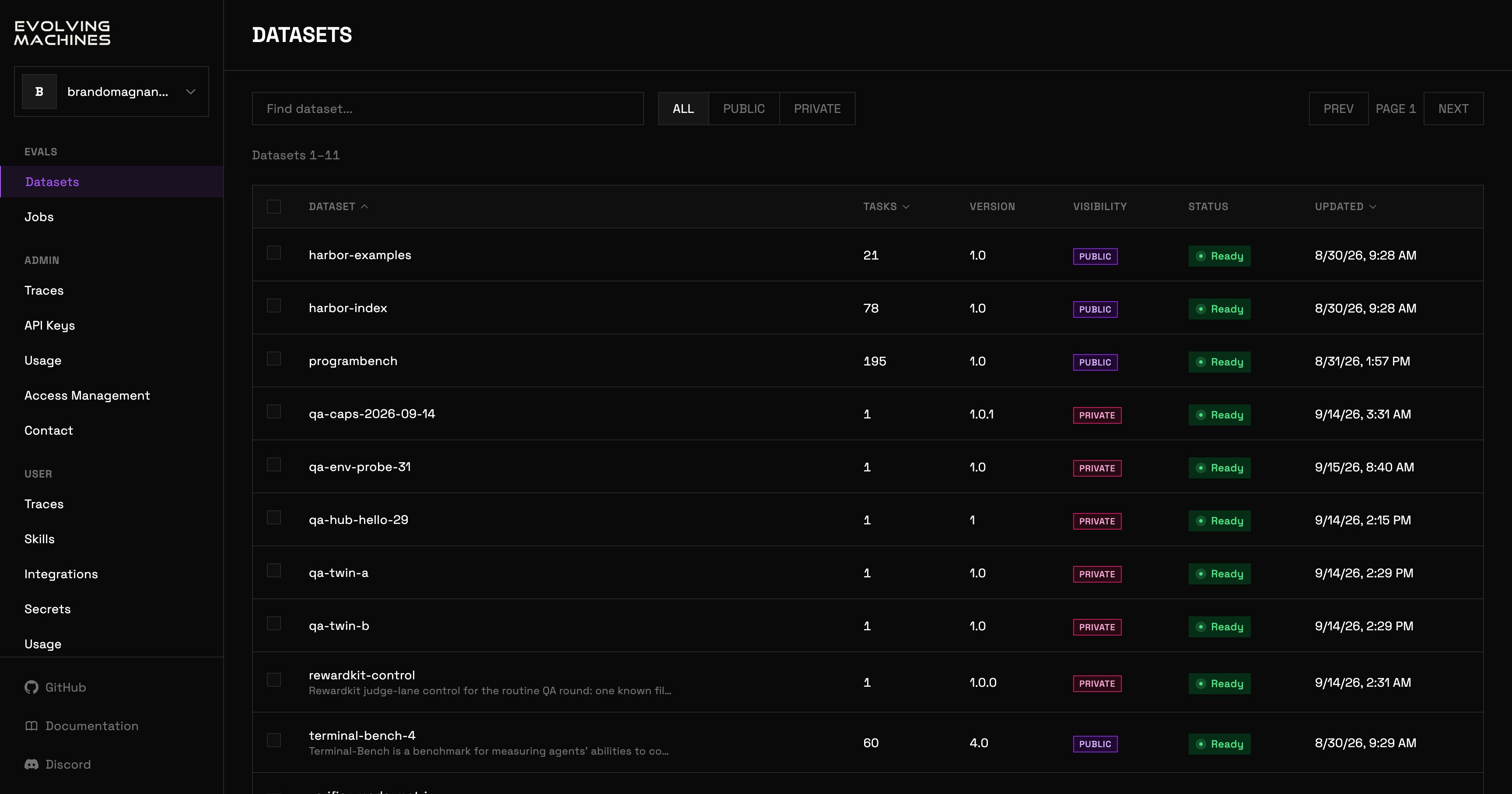 Search by name, and filter with ALL, PUBLIC or PRIVATE. Each row shows the dataset's task count, its active version, its visibility, its status and when it last changed. Tick rows to delete datasets you own. There is no publish button: publishing is [`evolve dataset publish`](/core-concepts/datasets).
Click a dataset to open it.
Search by name, and filter with ALL, PUBLIC or PRIVATE. Each row shows the dataset's task count, its active version, its visibility, its status and when it last changed. Tick rows to delete datasets you own. There is no publish button: publishing is [`evolve dataset publish`](/core-concepts/datasets).
Click a dataset to open it.
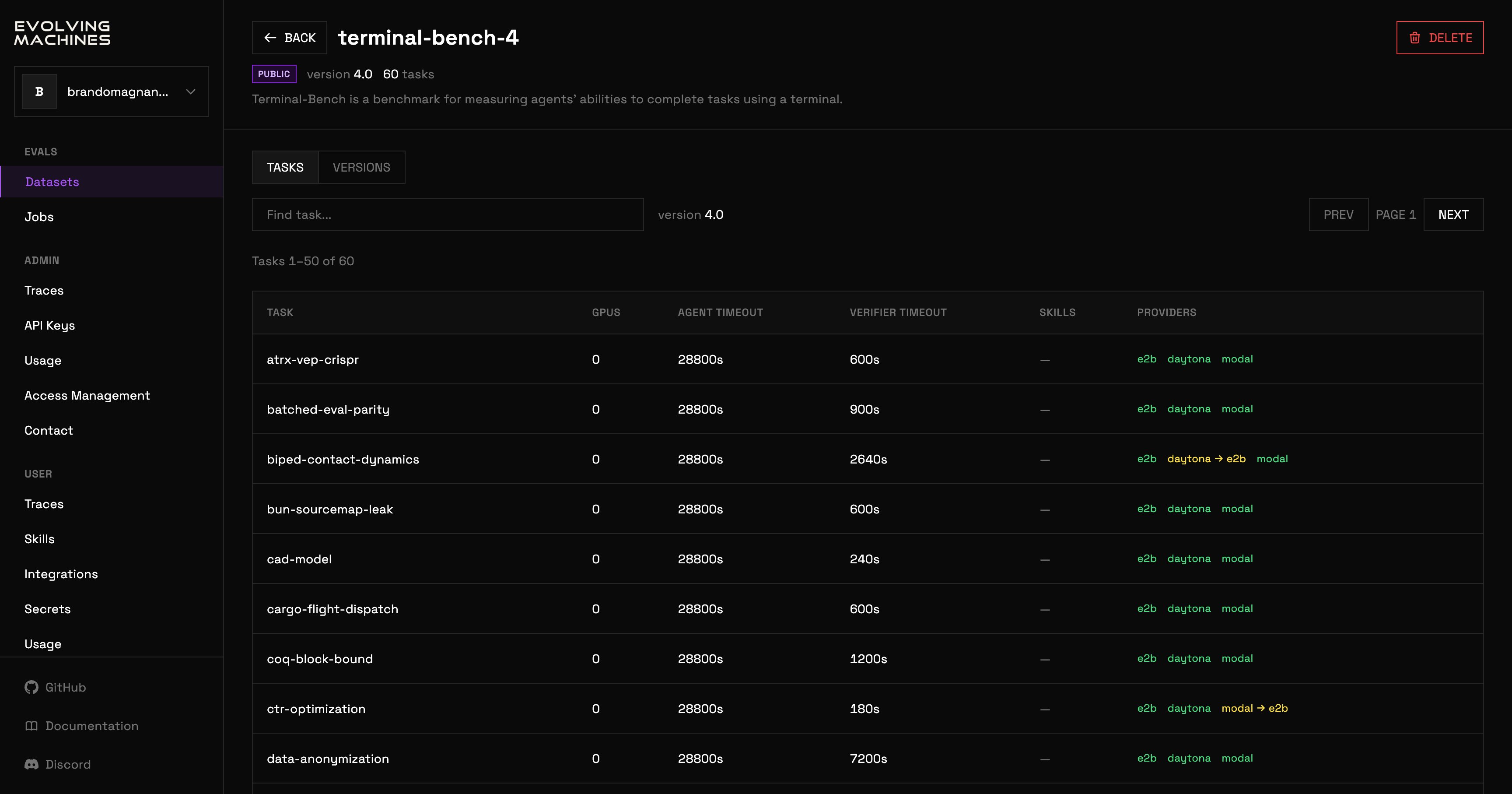 The header shows the visibility, the active version and the task count. The TASKS tab lists every task of that version with its GPU count, its agent and verifier timeouts, its skills, and the sandbox providers that can run it. An arrow after a provider means the trial is rerouted to the provider after the arrow. Hover a refused provider for the reason.
The VERSIONS tab lists the dataset's versions. DELETE appears only on a dataset you may delete: your own private dataset, or a public one when you are the platform admin. It removes the dataset.
The header shows the visibility, the active version and the task count. The TASKS tab lists every task of that version with its GPU count, its agent and verifier timeouts, its skills, and the sandbox providers that can run it. An arrow after a provider means the trial is rerouted to the provider after the arrow. Hover a refused provider for the reason.
The VERSIONS tab lists the dataset's versions. DELETE appears only on a dataset you may delete: your own private dataset, or a public one when you are the platform admin. It removes the dataset.