

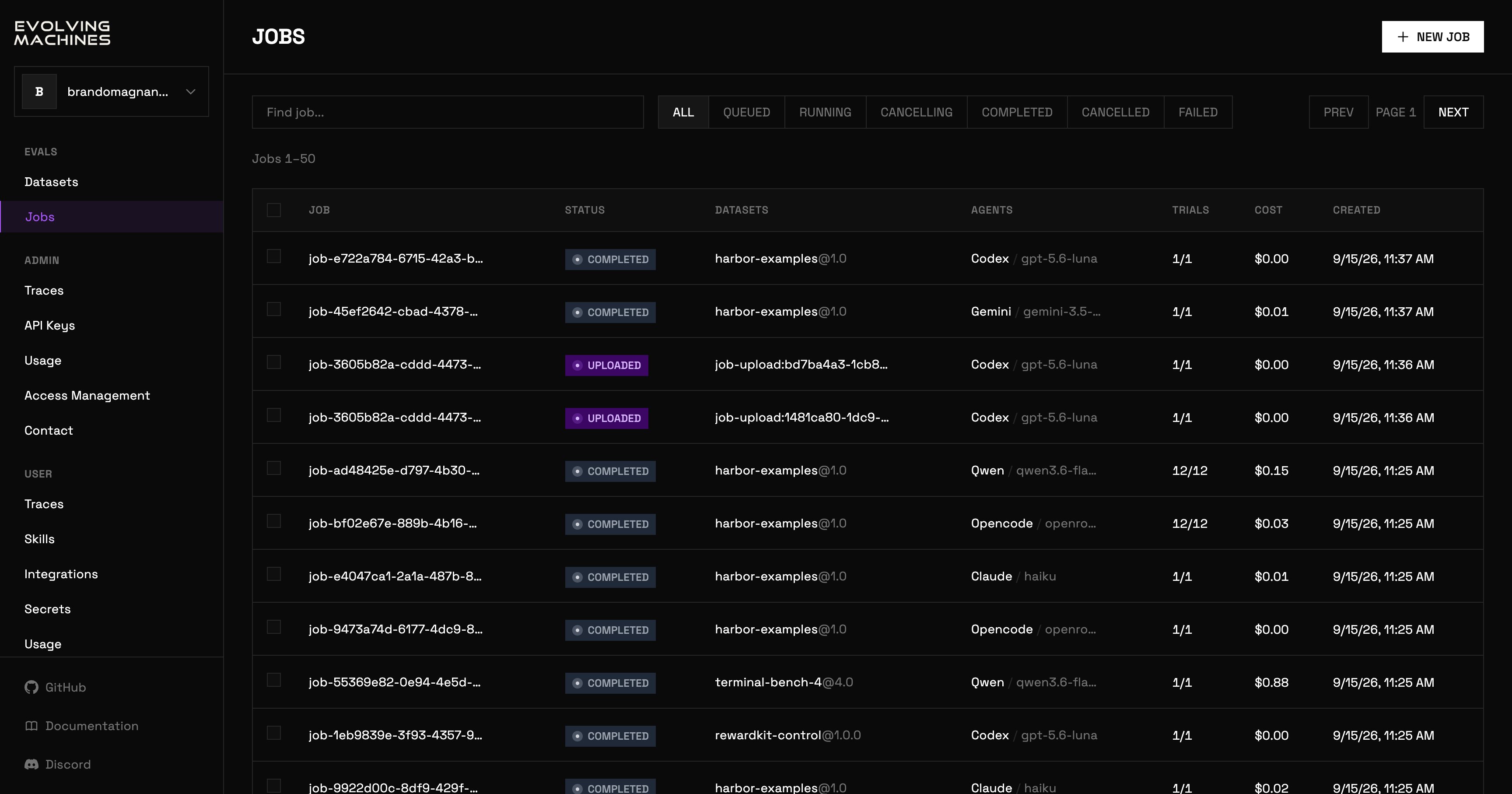
The jobs list
New job
NEW JOB opens the form. It takes the same choices asevolve run.
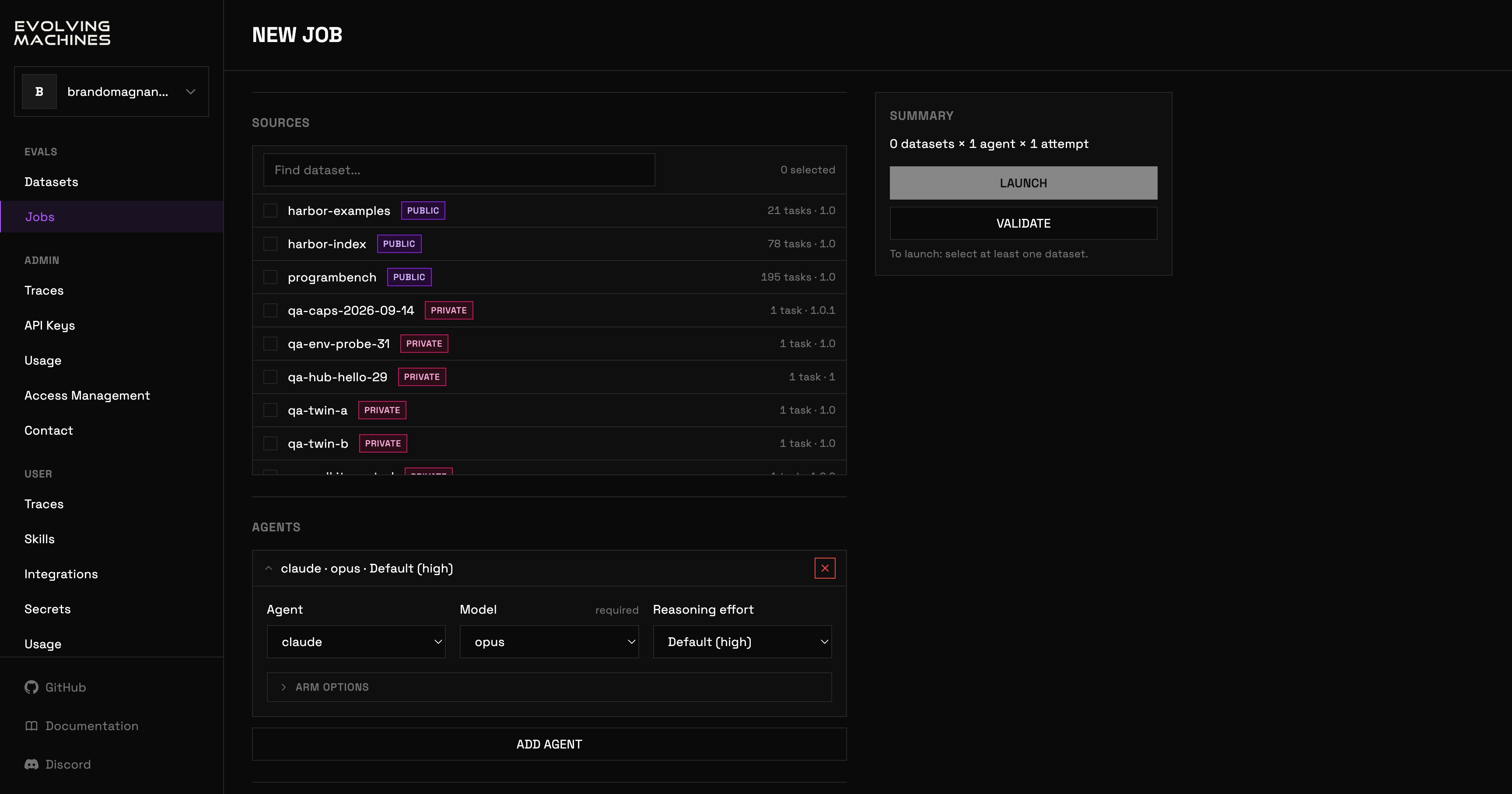
The New job form
- Sources: tick one or more datasets, cap the task count, and narrow the tasks with include and exclude patterns over their names.
- Agents: one arm per entry, with its agent, its model (required) and its reasoning effort. Arm options hold the version pin, a preset, a config file and skills. ADD AGENT adds another arm.
- Secrets: attach a secret from your vault, or save and attach a one-off value.
- Job settings: job name, attempts per task, parallel trials, auto-retries, and the spend cap per trial.
- Advanced, collapsed by default: the sandbox provider, the timeout multipliers, the judge overrides for the verifier, and the exceptions to retry on.
One job
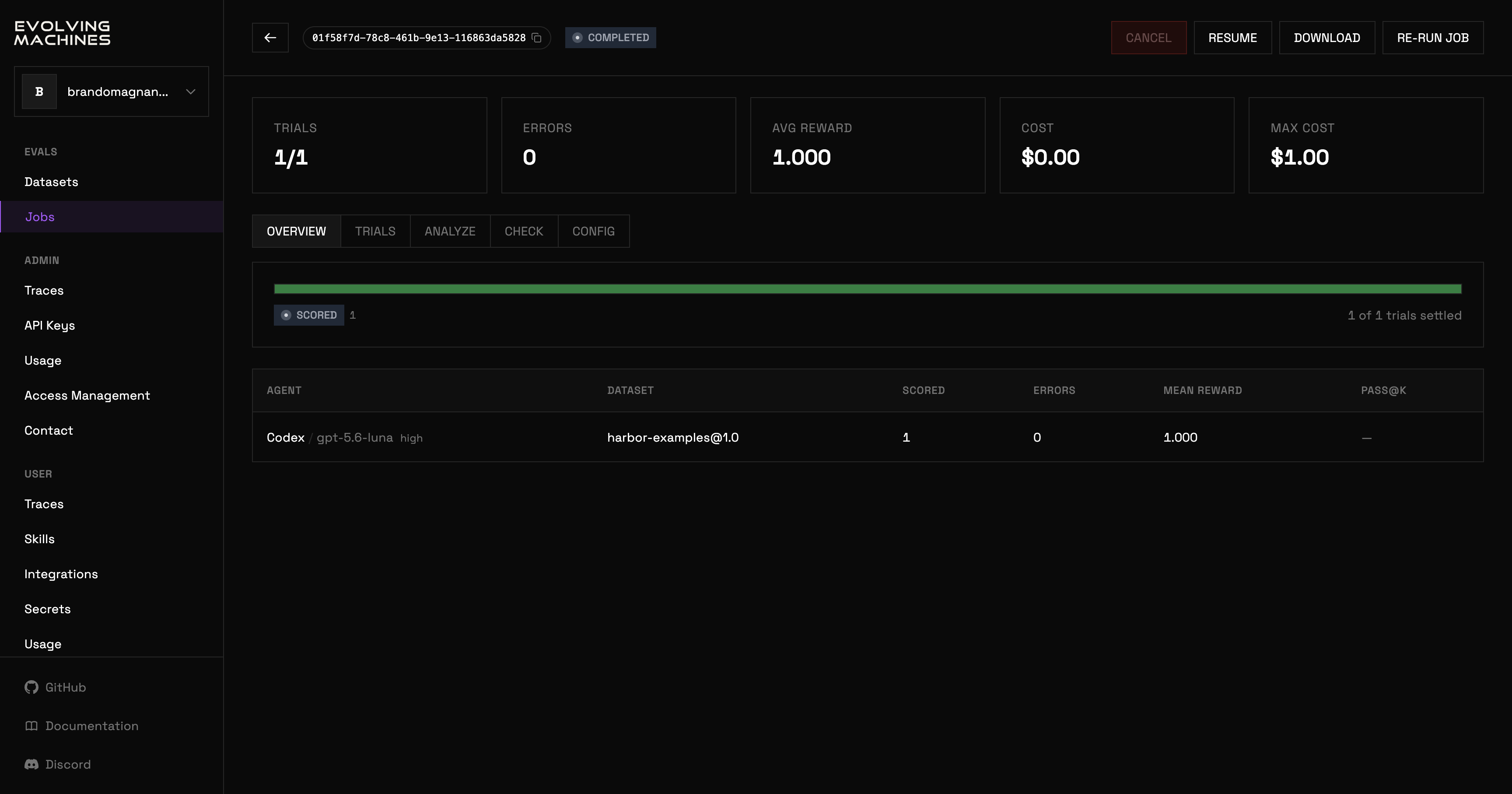
A job's page, on its OVERVIEW tab
.tar.gz in the standard job layout; while the job runs it is disabled, with the reason on hover. RE-RUN JOB opens the New job form filled in with this job’s choices.
Five tiles sum the job up: trials settled out of the total, errors, average reward, cost so far, and the most the job can cost. The average reward shows a value for a job with one agent and one dataset; with more, it shows a dash and the OVERVIEW rows carry the means. Below them, five tabs.
- OVERVIEW: a progress bar by trial status, and one row per agent and dataset with its scored trials, errors, mean reward and pass@k.
- TRIALS: every trial, with ALL or ERRORS, its task, agent, status, reward, cost, duration and token counts. Click a row to open the trial viewer.
- ANALYZE: the trace analyses of the job’s trials, below.
- CHECK: the task quality checks of the job’s datasets. See checks.
- CONFIG: the stored job record as JSON: its id, status, counts, stats and resolved settings.
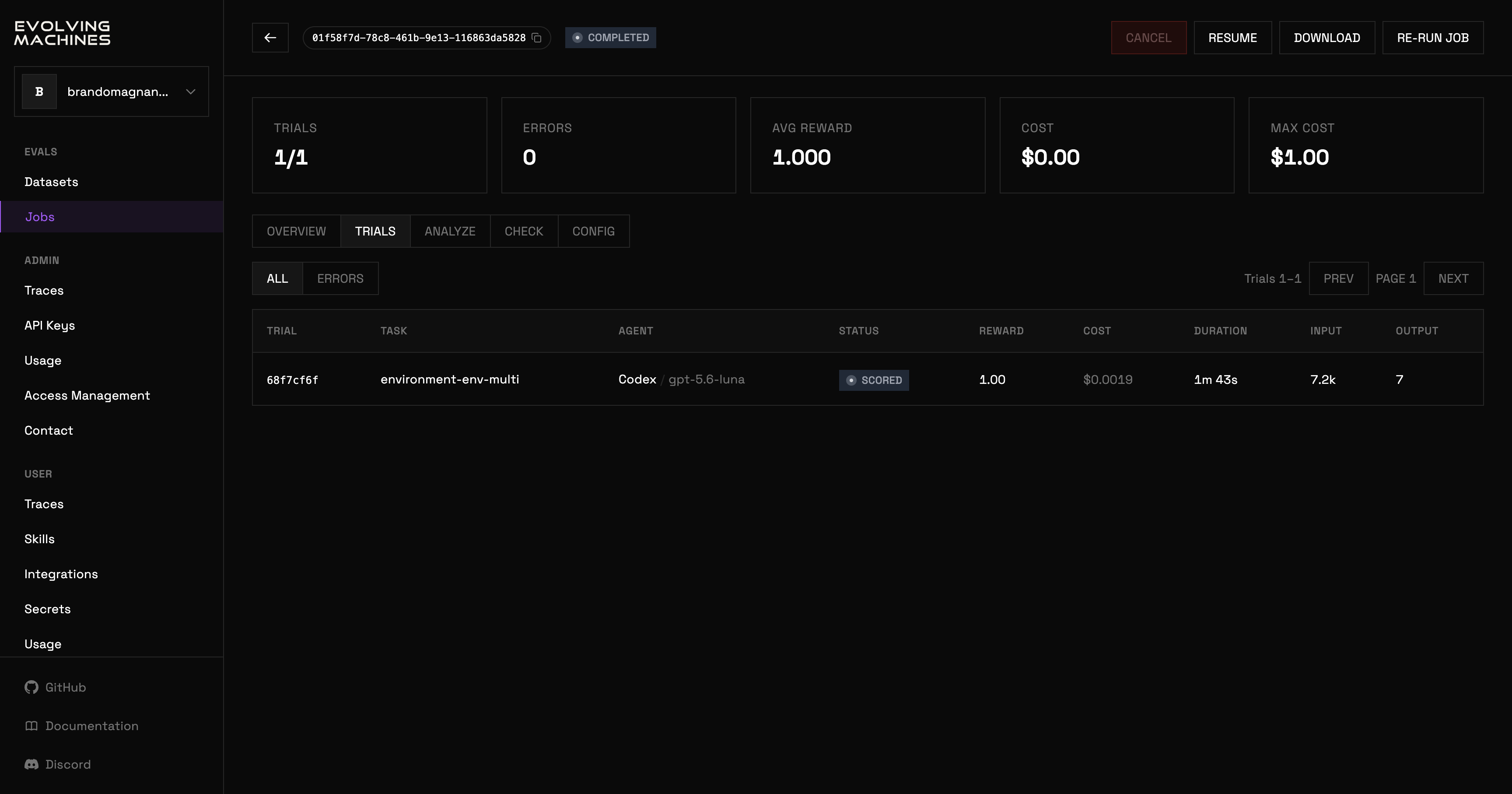
The TRIALS tab
The ANALYZE tab
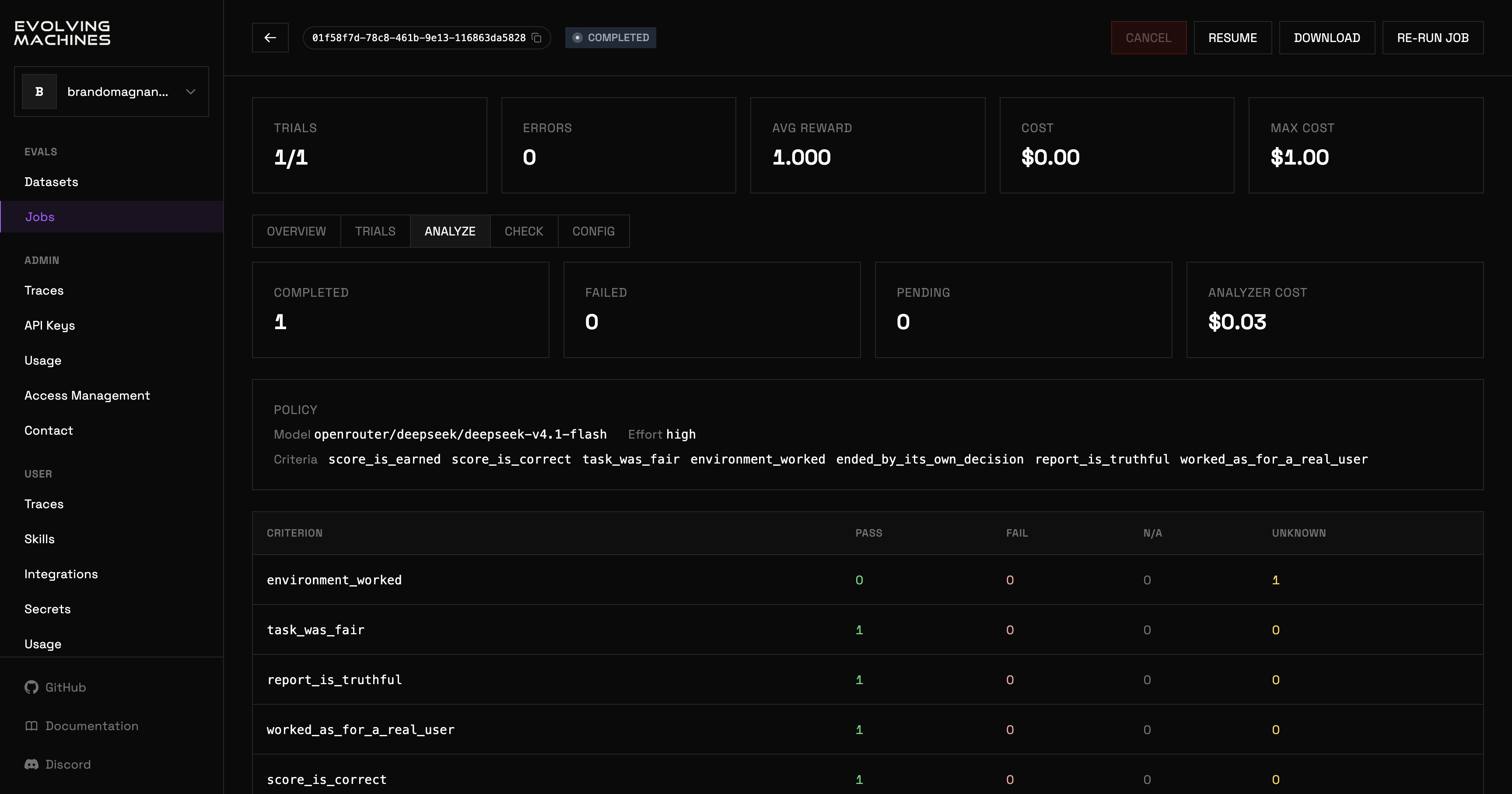
The ANALYZE tab after every trial was analyzed
evolve analyze <job-id> or with --analyze on evolve run, see analyze.